Keepsafe alternative for iPhone
A Keepsafe alternative with a smaller bill.
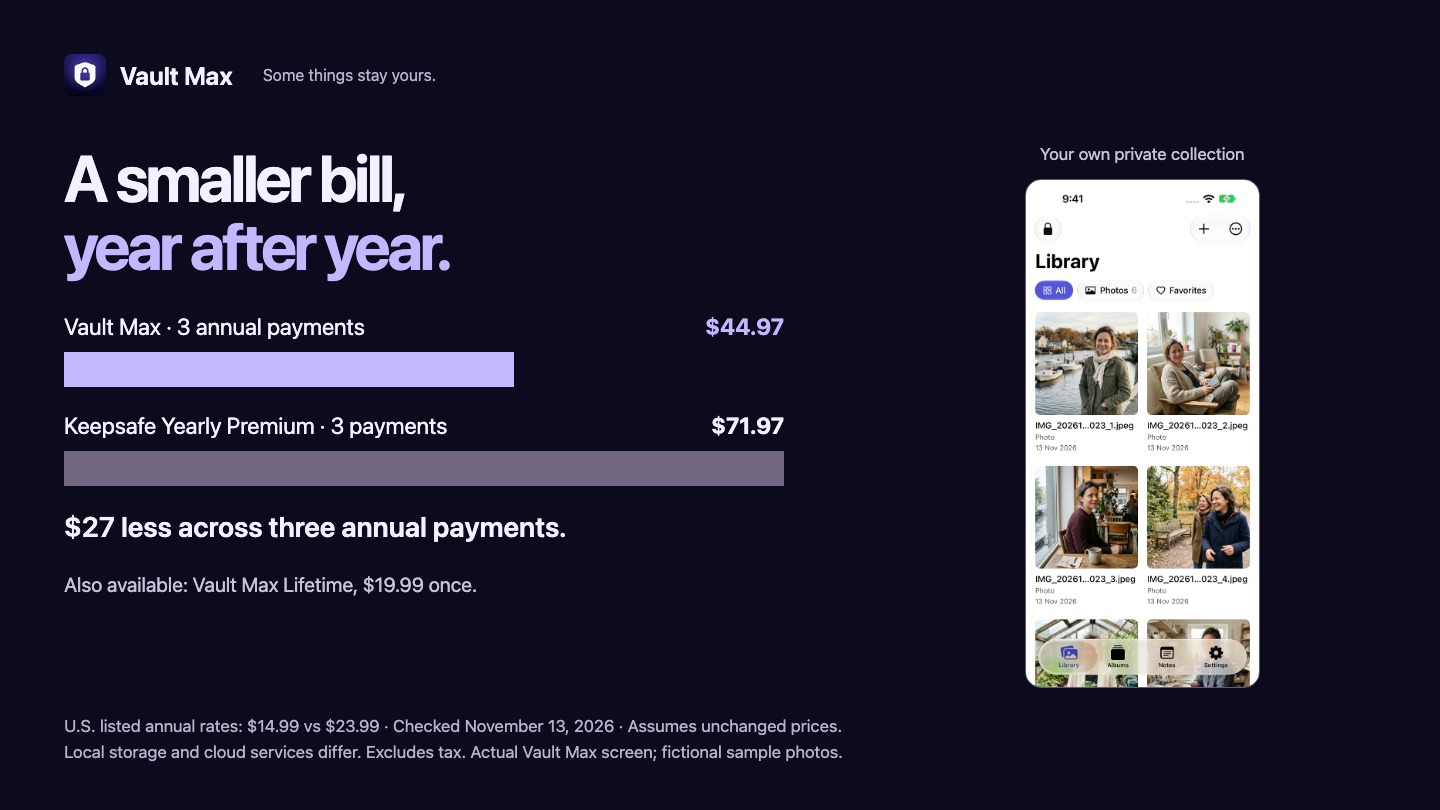
Start with a useful free collection. Need more room? Vault Max Lifetime is $19.99 once, with no monthly or annual renewal. For people who prefer an annual plan, its listed $14.99 price is lower than Keepsafe’s clearly labeled $23.99 Yearly Premium offer.
Free may be all you need.
More room? Lifetime $19.99 once · U.S.
No monthly or annual renewal.
Choose a local vault when the cloud is not the job.
Maybe you want a separate place for a few personal photos, a private video or scans of important papers. You do not need the same library on every device. You want to open the collection, find the file and lock it again. That is a good reason to consider Vault Max.
There is no Vault Max account to create and no developer server holding your vault files. StoreKit handles purchases through your Apple Account. The native app has no analytics. Optional Weather uses Apple services; it does not turn your private library into a cloud photo account.
This is a comparison from Vault Max’s makers. We checked public offers and vendor documentation on November 13, 2026; we have not run a matched hands-on test of Keepsafe. The recommendation is about price and fit for a local collection, rather than an independent ranking of every vault app.
Pay once with Lifetime. Or keep it free.
| What matters | Vault Max | Keepsafe |
|---|---|---|
| Annual offer | $14.99 Unlimited Annual | $23.99 Yearly Premium |
| Monthly offer | $3.99 Unlimited Monthly | $9.99 Monthly Premium |
| One-time option | $19.99 Lifetime Unlock | Lifetime documented; no clearly labeled price in the sampled U.S. listing |
Vault Max Lifetime is $19.99 once, with no monthly or annual renewal. You do not need it to get the security features: a smaller collection can stay on the free plan. Choose Lifetime when you want more capacity without another recurring bill.
At those annual rates, three annual payments total $44.97 for Vault Max and $71.97 for Keepsafe: a $27 difference if neither price changes. For a local collection you plan to keep, Vault Max’s $19.99 Lifetime may be the more appealing route. Compare what you will use, not a monthly offer against a cheaper annual one.
Sources: Vault Max’s U.S. listing and Keepsafe’s U.S. listing. Keepsafe lists other ambiguously named offers too; the table uses its explicitly labeled monthly and yearly plans. Your in-app offer may differ. Prices exclude tax and future changes.
Keepsafe’s backup documentation also mentions a Lifetime plan. We have not verified its current purchase price or availability for a new customer, so this page does not claim Keepsafe is subscription-only.
Less to pay. Plenty to try.
50 items per vault free. Optional $19.99 Lifetime for more room, with no renewal.
Make the everyday parts feel easy.

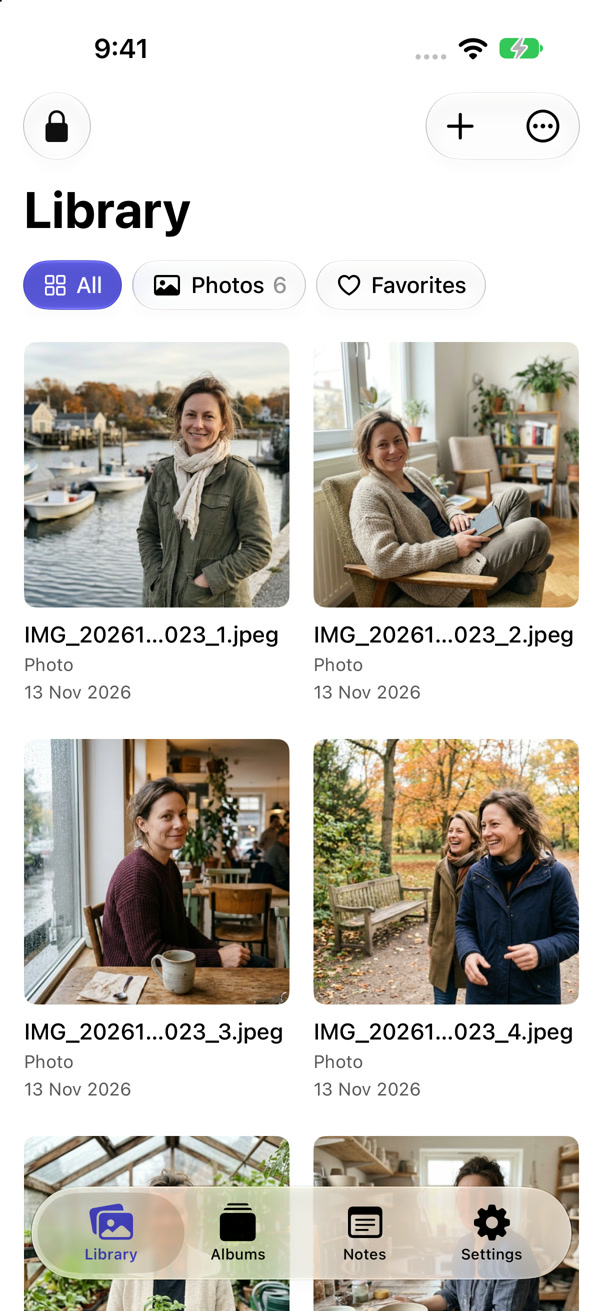
A small collection like these can be enough for everyday use: up to 50 photos, videos and documents per vault, one extra vault and every security feature free. If those limits fit your needs, there is no reason to upgrade.
See it in the app
Six photos. One favorite. Still free.
- Browse a small collection in Comfortable view.
- Open a photo and tap the heart, then find it in Favorites.
- Return to Photos and lock the collection.
This collection uses the free plan. No purchase is needed for the routine shown here. The recording ends after locking; only the static tail was trimmed.
Download this recordingStart with the view you would reach for: Gallery for browsing photos, Comfortable for a roomier grid or List for filenames and documents. Put photos into albums and mark favorites so that finding the one you want takes less hunting. Encrypted notes can live alongside your imported files.
Then choose the front. A working Clock, Calculator or Desk can be useful even when you are not opening the vault. Desk can hold a small public checklist such as “Charge camera.” Sensitive notes belong inside the locked collection; the front is visible without the code.
The everyday 1.1 guide shows those choices in more detail. The screens here are genuine app captures with sample content, not a simulation of Keepsafe or a promise that a cover makes Vault Max undiscoverable.
Cloud storage is a service, not a free extra.
Keepsafe describes account-based cloud backup and sync. Its support page lists backup quotas of 200 items for Basic, 10,000 for monthly/yearly Premium and 100,000 for Lifetime. If having another copy arrive automatically matters to you, that can justify paying for a cloud service. Read how Keepsafe backup works.
Vault Max takes a different approach: the vault stays on the device and you make a separate password-protected archive in Files. You can keep that archive in a location you control, but Vault Max does not keep it current for you. A new import means your old archive is no longer the latest copy.
Paid capacity is unlimited within your device’s storage, with up to eight total vaults per device. It is not extra phone storage or a cloud allocation. The free plan has 50 items per vault and one extra vault, and includes all security features. If that is enough, stay free.
Keep the vault code and archive password safe. We cannot restore a forgotten code or recover files without a usable backup. If your priority is cloud recovery across devices, choose on that requirement before choosing on price.
Keep the old collection until the new copies work.
You can try Vault Max without moving your whole collection. Install it, import one harmless file and check that you can reopen, lock and export it. Vault Max requires iOS or iPadOS 26 or later; Keepsafe’s checked iOS listing supports iOS 17 or later.
If you decide to move, export a small batch through the old app’s supported controls, import the resulting ordinary files and check them. There is no direct Keepsafe-account migration or compatibility with its encrypted backup format claimed here. Our vault-switching guide lays out the checks.
Manage any existing renewal separately. Apple’s cancellation guide explains where to find subscriptions billed by Apple. Finish your export checks before changing the old service; a subscription, an installed app and a usable backup are three different things.
Before you decide.
Can I use Vault Max without signing up?
Yes. There is no Vault Max account. Apple handles optional purchases, and you set a separate credential to unlock the vault.
Is Vault Max a cheaper Keepsafe alternative?
Its checked U.S. annual price is $9 lower than the explicitly labeled Keepsafe Yearly Premium offer. Its monthly price is also lower. Compare your actual offers and remember that Keepsafe includes cloud services Vault Max does not provide.
Will the app move my Keepsafe cloud library automatically?
No. First export ordinary files through the old app’s supported workflow, then import and check those files. Keep the original collection until you have verified the move.
Some things stay yours.
A private collection. A smaller bill.
Try Vault Max free. Keep a local collection without a Vault Max account, and choose a paid plan only when you need more room.
Get Vault Max freeiPhone and iPad · iOS 26 or later