Vault Max for iPhone and iPad
Some photos are just for you.
A private photo vault for the pictures, videos and files you choose to keep apart. Encrypted on your iPhone, behind a vault code of your own.

Free to start. Optional subscription or Lifetime Unlock.
See how the vault works
Separate vault code
Encrypted on your device
No Vault Max account
Optional Lifetime Unlock
Vault Max 1.1 is available on the App Store.
A separate place for selected files
Keep the photo. Choose who opens it.
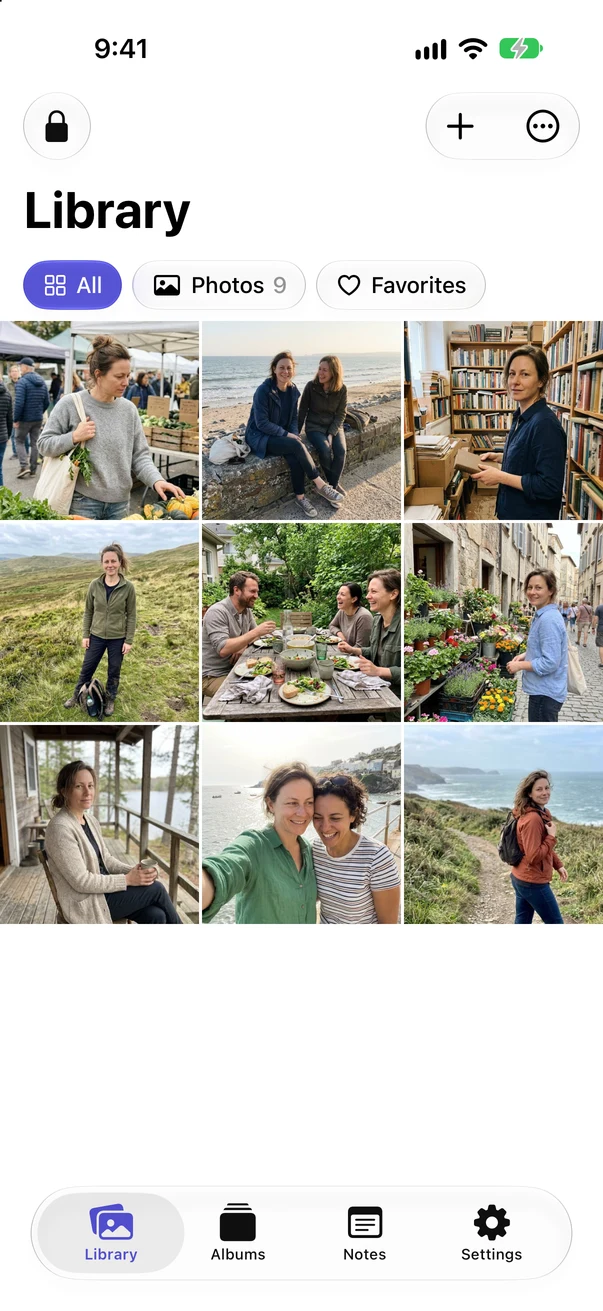
Bring selected items into Vault Max, then use your vault credential to reopen them. Albums and favorites help keep the collection useful once it grows.
Make a vault
Choose your own passcode, password or pattern. Biometric access is optional. Keep your vault code distinct from the code you use to unlock your phone.
Import something harmless first
Pick a sample photo from Photos or Files. Open the saved copy, zoom in and check it before making decisions about originals.
Plan a way back
Make an encrypted backup and keep its separate password safe. Then add the files you want to keep private.
Choose the right level of separation
Already using the Hidden album?
Apple’s Hidden album is a useful built-in option. A separate vault makes sense when you want an independent app credential, private notes and documents in the same collection, or a backup file you control.
You may not need another app if keeping photos out of your normal Photos view is your whole task.
| Your decision | Photos Hidden album | Vault Max |
|---|---|---|
| Where the copy lives | Inside Apple Photos | In the separate vault |
| Access | Device authentication | Your vault code; optional biometrics |
| Sync and recovery | Follows your Photos and iCloud settings | Local vault; explicit encrypted backup |
| Beyond photos and videos | A photo library | Documents and private notes too |
Apple’s Hidden album guidance. Choose based on your access and backup needs.
Privacy in everyday life
A little space of your own.
A quiet moment with your phone. Keep the things you choose behind their own vault code.
Start small. Keep control.
The free plan includes up to 50 photos, videos and documents per vault, plus one extra vault, with every security feature. For a larger collection, choose a subscription or the one-time Lifetime Unlock. All paid plans offer the same capacity benefits. Check the current price in your App Store.
If a subscription ends, existing items remain available to open, export, delete and back up. A purchase restores access to paid features; your private files need their own backup.
Your code and backup matter
There is no Vault Max account or reset link. Keep your unlock code safe. Create a password-protected backup and keep its separate password somewhere you can recover. A lost phone or forgotten code without a usable backup can mean losing the collection.
Before you decide
A few things worth knowing.
Does importing remove the photo from Photos?
Import creates a vault copy. Verify it before deciding whether to delete the original. Photos, Recently Deleted, shared albums and other copies need their own review. If you use iCloud Photos, deletion can affect the synced library.
Can I use Vault Max without a subscription?
Yes. Start with the free limits, or choose the one-time Lifetime Unlock for paid capacity without a renewing subscription. Subscriptions are also available.
Does Vault Max have my photos on a server?
Vault Max does not operate a server for your collection. Files are encrypted locally. Copies you separately keep in Photos, Files, cloud storage or a backup destination follow that destination’s settings.
Can I see it with my own test files?
Use a harmless photo first, reopen it in the vault, lock and unlock, and export a copy. Our trial checklist gives you a concrete plan before you import anything irreplaceable.
Your next private collection
Start with one photo.
Try the complete routine with something ordinary. Import it, reopen it, lock the vault and find it again.
Free download · iPhone and iPad · iOS 26 or later