
Moving to a new photo vault
Switch your photo vault. Keep your memories.
Found a vault you would rather use? Start with one ordinary file. Export a copy, open it, import it and check it again. Move the rest only when that small round trip works.
Free may be all you need.
More room? Lifetime $19.99 once · U.S.
No monthly or annual renewal.
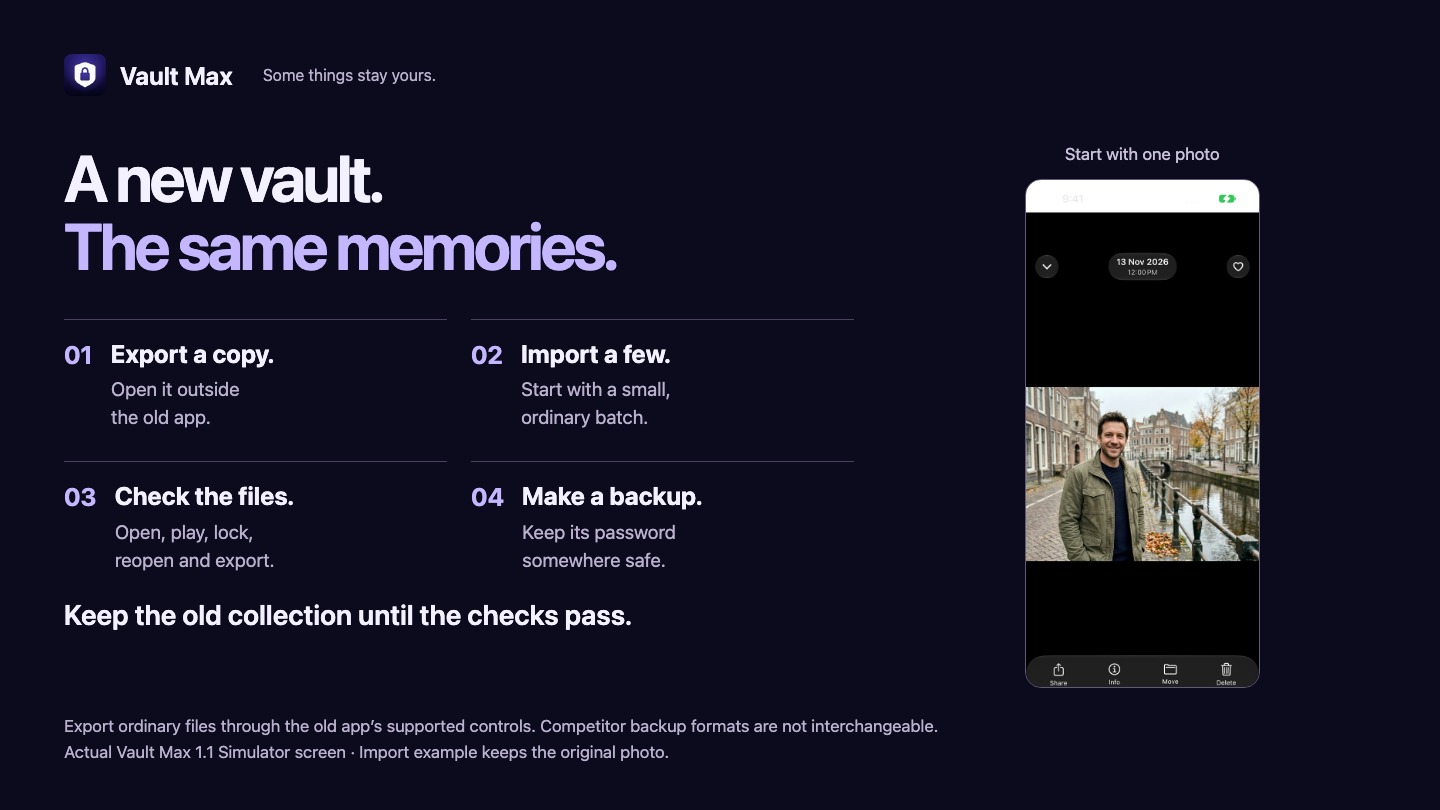
Write down what you are actually moving.
A vault can hold more than photos. You might have videos, PDFs, notes and albums you carefully arranged. Begin with a small inventory: the kinds of files, approximate counts and anything whose organization matters. Leave the old app installed and working while you do this.
Check your new app’s compatibility and free limits first. Vault Max needs iOS or iPadOS 26 or later. Its free plan holds 50 photos, videos and documents per vault and one extra vault. That is enough to test the routine with a handful of ordinary files before deciding whether to buy more capacity.
Have space for more than one copy during the move. An export in Files, an original in Photos and an import inside the new vault can exist together. Use a destination you control and check whether the folder syncs elsewhere, especially on a shared account.
We make Vault Max, so this guide shows its import step. The export controls in Keepsafe, Vaultaire, Private Photo Vault and other apps vary. Use the old app’s current instructions; this is not a verified migration of every competitor or a universal restore tool.
Export a file you can open outside the old app.
Begin with one ordinary image. Use the old app’s export or share action to create a file in Photos or Files, whichever it supports. Open that file from its destination. Seeing a thumbnail is not enough: open the full image and zoom in.
A proprietary encrypted archive is different from a JPEG, video or PDF. Do not assume Vault Max can read another vault’s backup, account or database. If the old app only gives you its own backup format, follow that provider’s export instructions before going further.
Try a video and a document separately if you use those formats. Album names, favorites, notes, capture dates and Live Photo behavior may not travel with an exported file. Decide what you need to preserve, and check that exact thing. Keep the original when the result is uncertain.
Do not send irreplaceable files to an online converter just to make the move easier. If an export fails or requires a particular access plan, resolve that with the old app while the collection is still available. A purchase in the new app cannot unlock the old one.
See what one import looks like in Vault Max.
See it in the app
Choose a photo. Keep the original.
- In the Photos picker, select one ordinary photo and confirm.
- When Vault Max asks about the original, choose Keep them.
- Find and open the new copy in the library.
The recording begins in the Photos picker and ends with the imported photo open. A pause at the original-photo prompt is shortened. The original stays in Photos.
Download this recordingSet a vault code you can keep safe, then choose Add to vault. For a file exported to Photos, use From Photos and select the sample. For an ordinary file in Files, use the app’s Files import. Wait for completion, then open the item inside the vault.
The real recording above shows selecting one photo, confirming the import, keeping its original in Photos and opening the new vault copy. It does not demonstrate direct access to a competitor’s cloud account. Keep this first test simple so you can tell whether the export, import or format is causing a problem.
Make the first move small.
Download Vault Max free and try one harmless photo before bringing over the rest.
Check more than the number of tiles.
- Open: view each test file at full size. Zoom a photo; open every page of a sample PDF.
- Play: start the test video, seek to the middle and check sound where expected.
- Reopen: lock the vault, unlock it and find the same item again.
- Export: save a test copy from Vault Max and open it at the destination.
- Compare: check counts, visible detail, names and any dates or metadata you actually need.
If you need to inspect a JPEG, PNG or classic TIFF, the browser-local metadata inspector can help you compare supported fields. It does not inspect HEIC, Live Photo motion or video and cannot certify the whole move. Our JPEG export study explains why pixel dimensions and file size answer different questions.
When the test works, move a batch small enough to check. Write down what arrived and keep the source collection until all needed files and a usable backup are accounted for. If counts disagree, stop at that batch and reconcile it before importing more.
There is no prize for moving everything in one tap. A small batch makes a missing video or duplicate export much easier to spot. Avoid deleting old files simply because their new thumbnails appeared.
Finish with a backup, then handle the renewal.
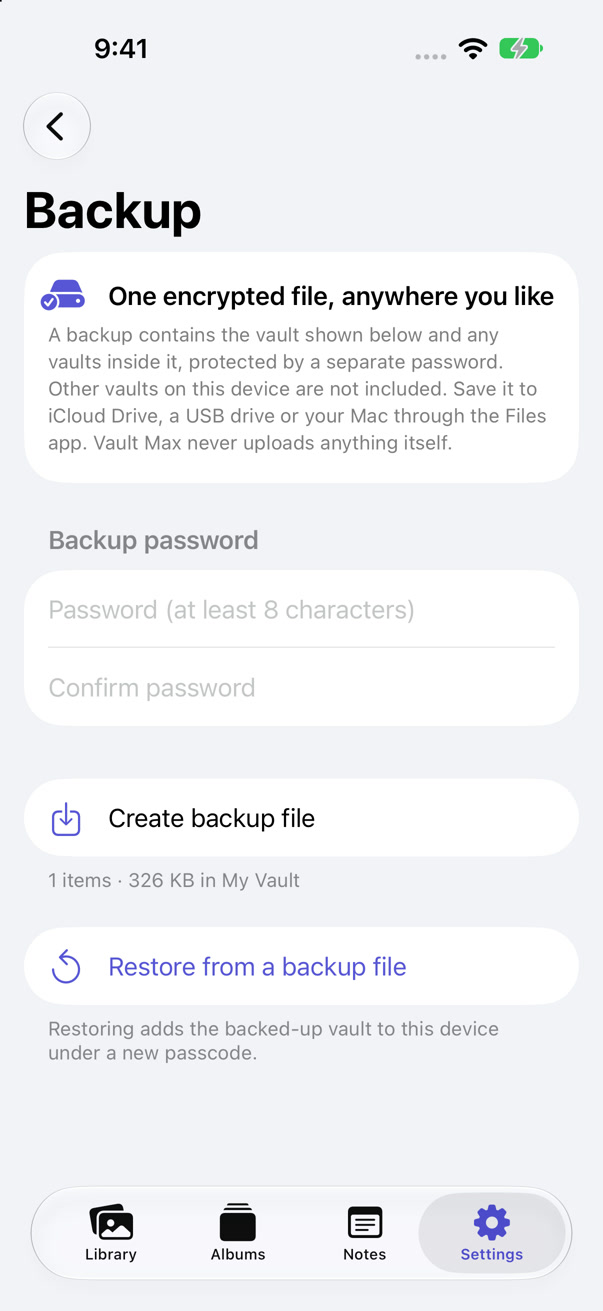
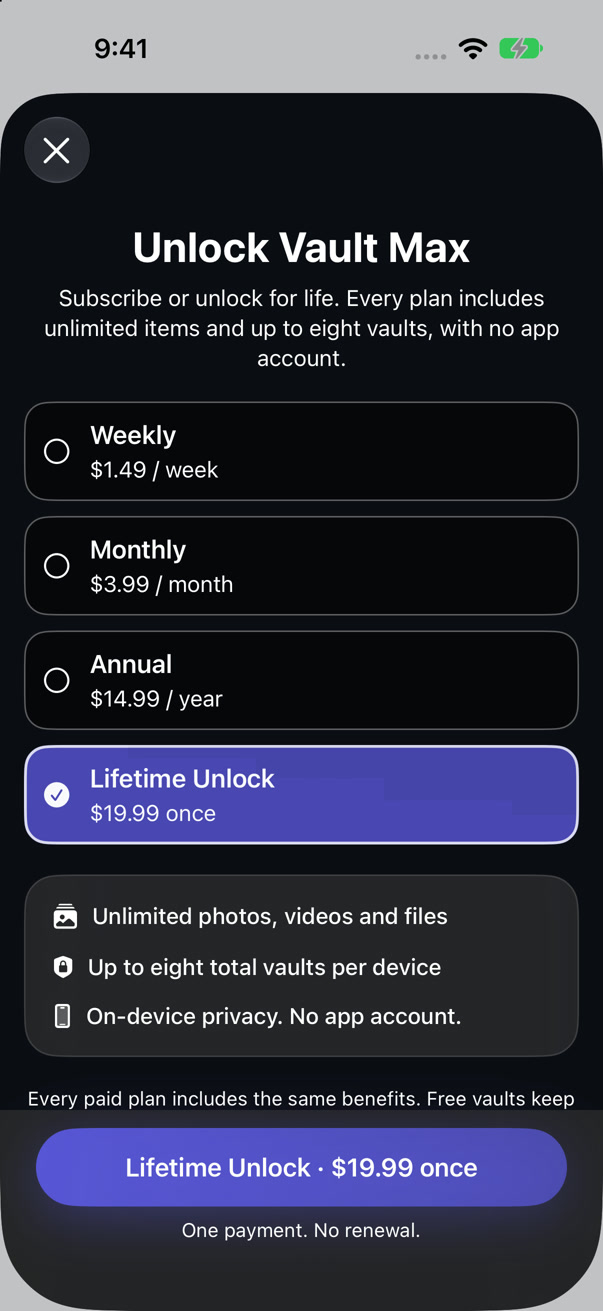
After checking the imported files, create a Vault Max encrypted backup, save the archive to a location you can reach and keep its separate password safe. A purchase restore restores an entitlement, not your missing photos. A backup snapshot needs replacing after later imports.
For anything irreplaceable, validate the archive through a deliberate restore on a separate suitable installation before relying on it, following the app’s restore guidance. The screens here show the backup settings and plan selection; this article does not present a new completed restore test. If you cannot validate a recovery route yet, keep the old usable collection.
Once you have what you need, manage an old subscription through its billing provider. For Apple billing, open Settings > your name > Subscriptions, select the plan and review cancellation. Apple explains the steps and how to find a missing subscription. Cancelling a renewal is separate from removing an app or deleting cloud files.
The free plan may be all you need. If you want more room, the checked U.S. Lifetime price is $19.99 once, with no monthly or annual renewal; annual is $14.99 and monthly is $3.99. Confirm current offers. Paid plans provide unlimited items within device storage and up to eight total vaults. Stay free if the free limits suit you.
Decide deliberately what to do with temporary exports when the move is complete. Deleting a local copy can also affect synced storage; check the destination’s behavior first. Keep a recovery copy you can use. If your Vault Max code is lost and you have no usable backup, we cannot recover the collection.
If something does not move cleanly.
Can I import a Keepsafe or Vaultaire backup into Vault Max?
No compatibility with competitors’ encrypted backup formats is claimed. Export ordinary files through the source app, then import supported files. Keep the old app available until the move is checked.
What if a video does not play after import?
Open the exported video at its original destination first. If it fails there, revisit the source export. If it plays there but not in Vault Max, retain the original and resolve the format issue before moving more of that type.
Can I delete the old app now?
Wait until the required files are checked and you have validated a recovery copy. Do not make app deletion part of your first import test.
Some things stay yours.
Your next vault starts with one photo.
Try the import, lock and export routine free. Bring the rest when the small test works.
Get Vault Max freeiPhone and iPad · iOS 26 or later