Personal documents, kept together
Important papers. A place of their own.
Keep selected PDFs, reference photos and private notes in an encrypted document vault on your iPhone. Find the copy you need without leaving it in your everyday photo feed.

Free to start. Optional subscription or Lifetime Unlock.
Build a small document kit
Import from Files
Private notes
Your own vault code
Encrypted backup files
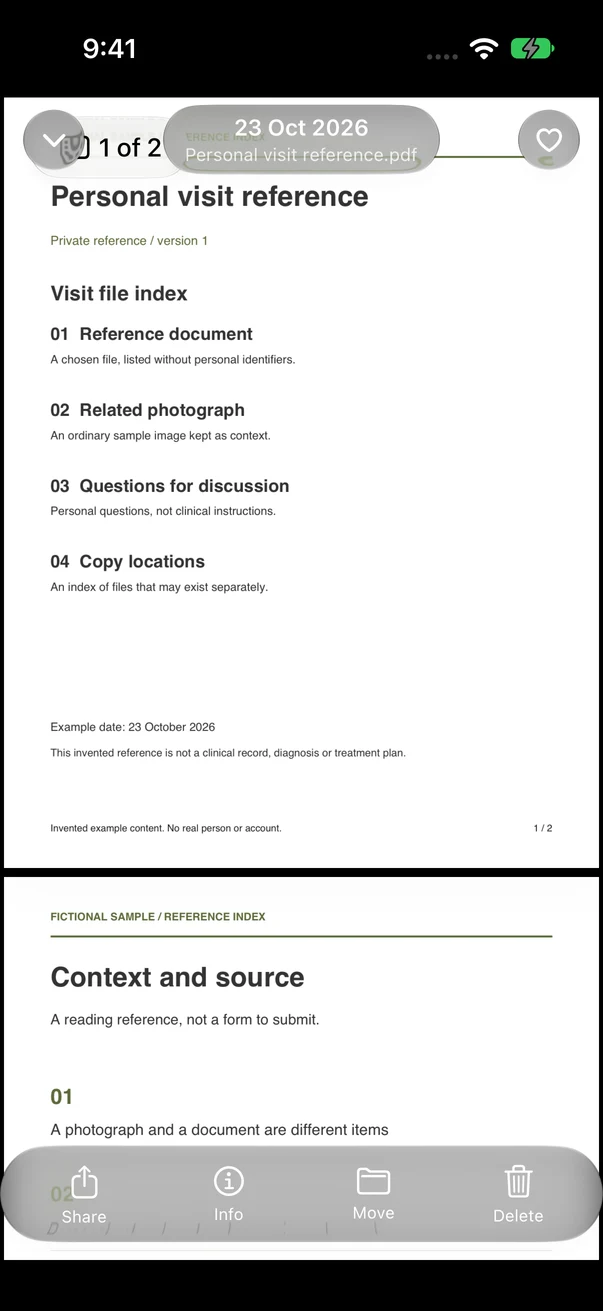
Vault Max document viewer. Available in Vault Max 1.1.
A personal reference kit
Keep context beside the copy.
A reference photo is easier to use when its filename and related note explain what it is. Start with a small collection you can recognize and reopen.
Choose the few files you need
Import a complete PDF or document from Files, or a reference image from Photos. Use harmless samples to check your actual formats first.
Make the collection recognizable
Use a clear name and an album for a trip, household reference or personal project. Add a private note with context you will need later.
Check access and recovery
Open every important page, test offline access and know how to export it. Make an encrypted backup with a separate password.
Useful before you leave
Build a smaller, better travel folder.
Choose the references you will actually reach for: a reservation, a copy of your itinerary, a support number and a note explaining where the originals are.
A copy on your phone is a reference. Carry any original document your trip requires, and keep an independent way to reach essential information if the phone is unavailable.
Make a private travel-folder checklist- Before import
- Get the full file from its source. Keep the original while you check the new copy.
- After import
- Open it in the vault. Check page count, legibility, orientation and any essential detail.
- Before relying on it
- Test your exact file offline. Confirm the backup and know the separate backup password.
Privacy in everyday life
Ready for the day ahead.
A quiet moment with your phone. Keep the things you choose behind their own vault code.
Keep the sharing decision separate.
An exported document or photo can be read outside the vault. Send only the copy the recipient needs, and check the destination and attachment before sharing. Our saved-copy photo study shows what one controlled export kept.
See the photo export studyStart small. Keep control.
The free plan includes up to 50 photos, videos and documents per vault, plus one extra vault, with every security feature. For a larger collection, choose a subscription or the one-time Lifetime Unlock. All paid plans offer the same capacity benefits. Check the current price in your App Store.
If a subscription ends, existing items remain available to open, export, delete and back up. A purchase restores access to paid features; your private files need their own backup.
Your code and backup matter
There is no Vault Max account or reset link. Keep your unlock code safe. Create a password-protected backup and keep its separate password somewhere you can recover. A lost phone or forgotten code without a usable backup can mean losing the collection.
Before you decide
A few things worth knowing.
Is Vault Max a password manager?
It stores encrypted private notes and files. It does not provide password-manager autofill or replace a dedicated credential manager.
Will every document open in a preview?
Preview support depends on the file and the system. Test your actual format with a harmless sample. Do not assume a stored filename guarantees that every page can be read offline.
Does a passport scan replace my passport?
No. Treat a stored copy as a reference and carry the original documents required for your situation.
Will my work documents meet a compliance requirement here?
This page describes a personal file workflow. It does not establish organizational compliance, managed-device policy, a regulated archive or an audited recordkeeping process. Use approved systems when your organization requires them.
Your next private collection
Start with one ordinary document.
Import a sample PDF, open every page and check the recovery routine before adding something important.
Free download · iPhone and iPad · iOS 26 or later