
What Save to Files kept in this test
With removal off, the JPEG in Files was byte-for-byte identical to the source and still carried a GPS pair. With removal on, the inspector found no GPS, camera make or model, or original capture date. Both copies measured 1280 × 853 pixels.
| Vault Max setting | GPS | Camera and capture date | File size |
|---|---|---|---|
| Removal off | Found | Found | 177,938 bytes |
| Removal on | No GPS detected | None detected | 232,110 bytes |
The second JPEG is larger even though it has less metadata. Vault Max rewrote the JPEG, so it still has the same dimensions and some pixel values changed. File size alone tells you little about what information was removed.
Download JPEG with GPS Download JPEG with GPS removed


Open the first file in the photo metadata inspector, choose Compare a copy, and select the second file. The GPS pair was added for this test and doesn’t describe where the coffee photo was taken. Photo by Valeriia Miller.
Save a copy you can check before sharing
- In Vault Max, open Settings and find Remove photo location & camera data under Privacy. Turn it on for a new outgoing copy.
- Open the photo in the vault. Tap Share, then Save to Files. Choose a folder under On My iPhone and tap Save.
- In the inspector, tap Choose a photo and pick the JPEG from that folder. Check Location and look at the image itself before you attach it.
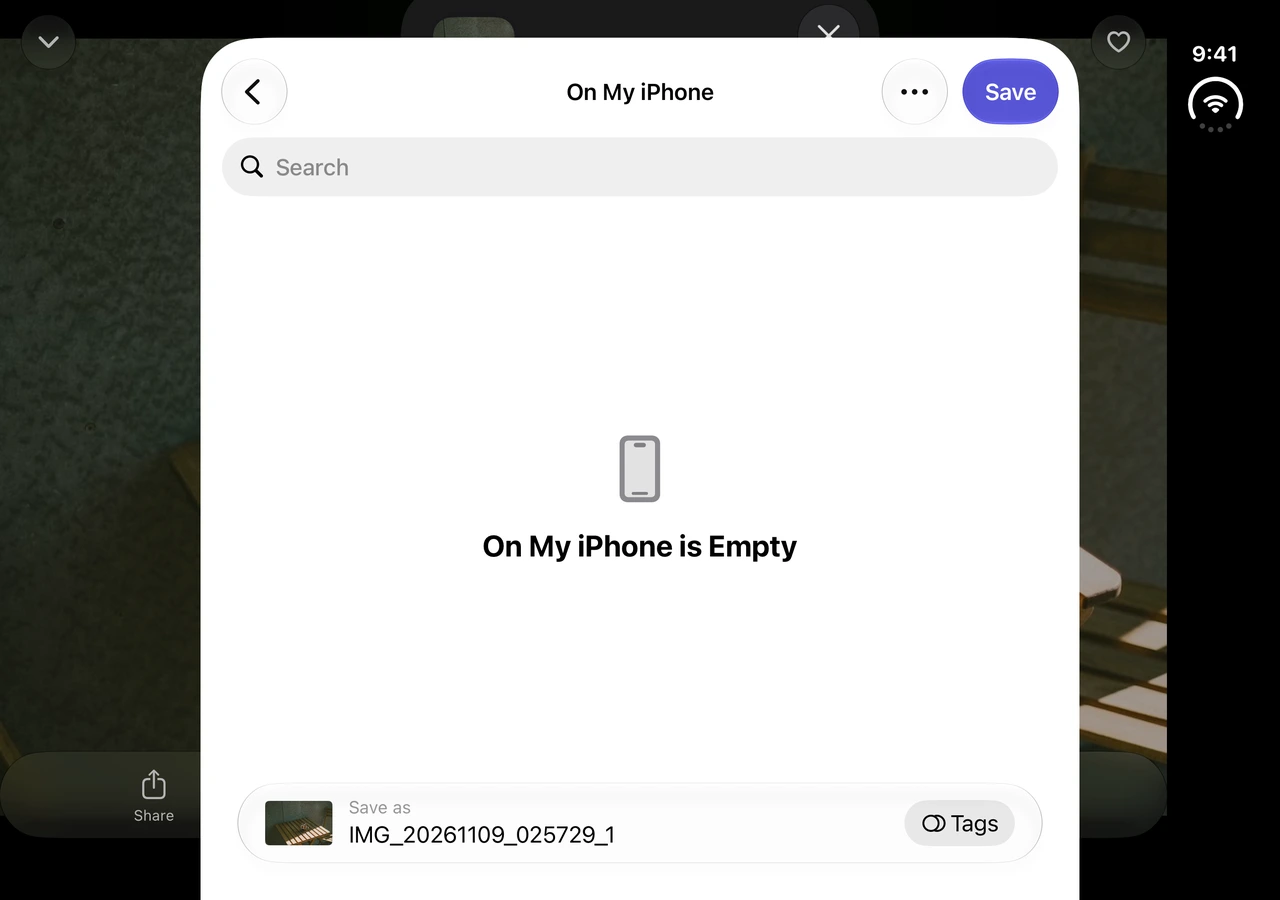
Check the Messages attachment separately
We tested Vault Max 1.1.0 (4) on an iPhone Duo simulator running iOS 27.1. Messages was unavailable in the simulator’s share sheet, so we have two measured Files exports and no received Messages attachment from this test.
To test Messages on your phone, share a test photo to yourself using the same app and settings you intend to use. On the receiving side, open the attachment and save a copy. Inspect that copy and compare it with your source. If you save it to Photos first and then export it, record that extra step because it can change the file you inspect.
When sharing directly from Apple Photos, use its own Share options. Apple documents where to omit location on supported versions and how to choose the output format. Apple’s Photos sharing guide.
See how to read a location result if the file has partial metadata or uses an unsupported format. Compare the pixels and file size in the four-file JPEG export study.
Already have the JPEG you plan to send?
Use the browser metadata remover to make and compare a separate copy. That result describes the browser’s download. To test what an iPhone sharing option kept, inspect the file saved or received from that option.
Thinking of sending a screenshot?
See our screenshot test with visible coordinates before you share what’s on screen.